macOS 26.4 Presents Deployment Blockers Across Organizations
macOS 26.4 appears to reintroduce a login keychain prompt issue affecting smart card and third-party authentication workflows, and some organizations are now delaying rollout while Apple investigates.
On March 26, 2026, Apple released security updates across its operating system platforms. As organizations began updating to macOS 26.4, it became clear that an issue tracked in early 26.4 beta cycle had resurfaced.
In some of the earlier betas, 26.4 held two known issues:
- The user is prompted to unlock the login keychain when logging in if the Mac is configured to use a smart card.
- The user is prompted to unlock the login keychain when logging in using 3rd party authentication plugins.
This was reportedly fixed during the beta testing period, but appears to have returned for the general release.
The “3rd party authentication plugins” include tools such as Jamf Connect, Okta Device Access for macOS, and more.
In affected environments, users can successfully sign in with Jamf Connect or a smart card using their PIN, but are then prompted for the login keychain password.
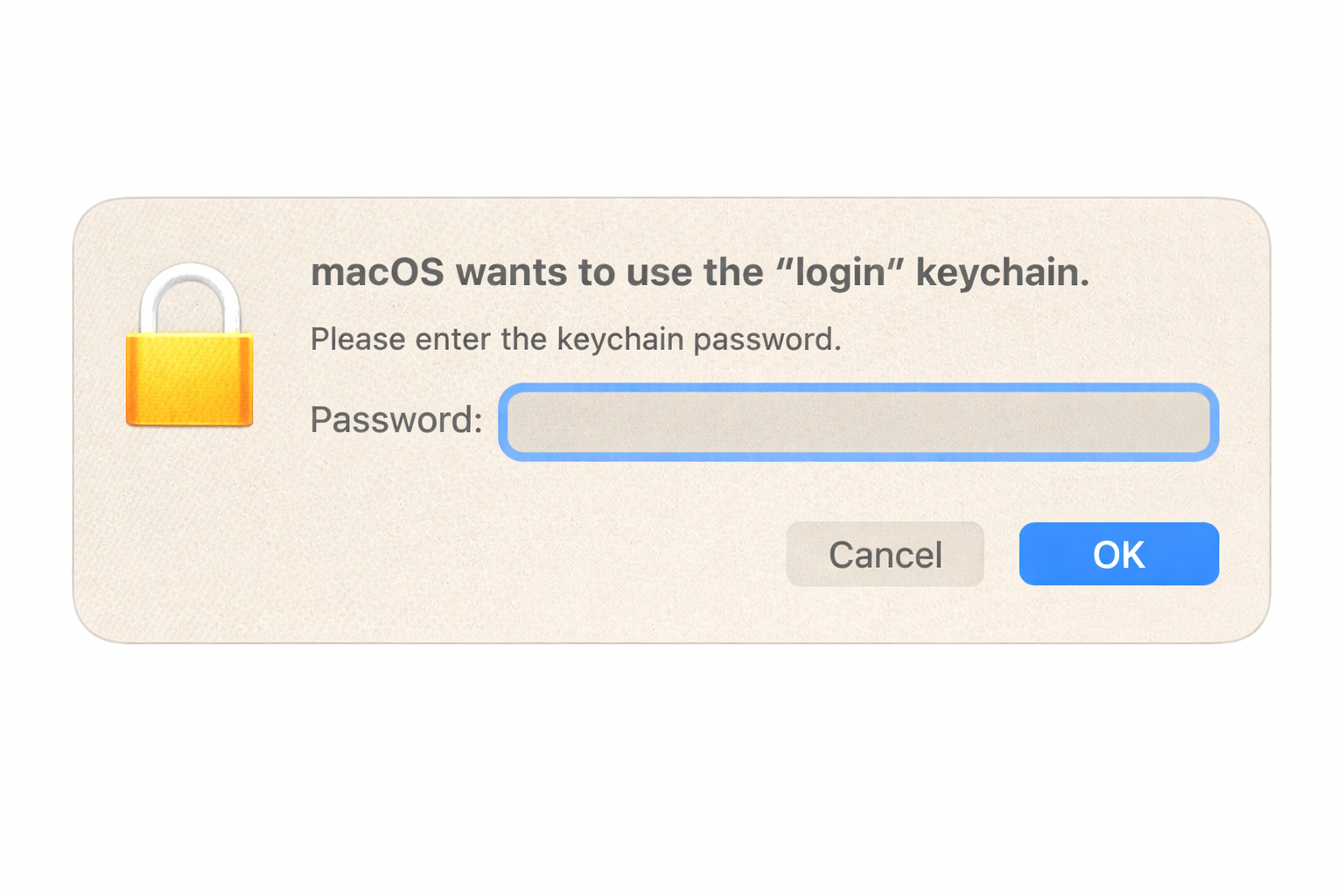
Typically, one can simply enter the login keychain password, which in most cases should be the same as the account password, and continue. The problem is that the prompt appears on every login.
The Mac Admins Foundation Slack community has been abuzz in the #smartcard and #macos-26-tahoe channels as organizations coordinate information to pass back and forth to Apple via AppleCare tickets. Multiple organizations have now opened AppleCare cases and submitted Feedback Assistant reports, which helped confirm this is not isolated to a single environment.
At the time of writing, the latest guidance from Apple has been the following:
It seems that we missed an upgrade workflow that’s causing the login keychain prompts to continue to happen in the public release of macOS 26.4. We’re actively working to resolve this as soon as possible, likely within the next beta cycle.
In the meantime, we are suggesting the following workarounds: Logging in once with username & password at the Login Window resolves the repeated prompts. If the customer’s smart card policy doesn’t allow this, an alternative is to run security unlock from Terminal and authenticate with a password there once.
From the Mac Admins Community, another workaround appears as follows:
- Log in to macOS; supply the login keychain password when prompted.
- Once at the desktop, launch Terminal.app and run the following commands:
security lock-keychainsecurity unlock-keychain
- Reboot
So far, this has prevented the login keychain prompt from reappearing on end users’ systems.
A third, more disruptive workaround is to completely reset the keychain and generate a new one.
As Apple continues to investigate and work on another update, organizations are now clawing back updates by deploying software update deferrals and providing their help desks with guidance to assist users who have already updated.
Is your organization impacted by this issue in macOS 26.4? How are you handling it?