From Beneficiary to Maintainer: A Dialog with Dan Snelson on Open Source and the Mac Admin Community
An interview with Dan K. Snelson on open source contribution, beta feedback, and building Mac admin tools the community depends on.
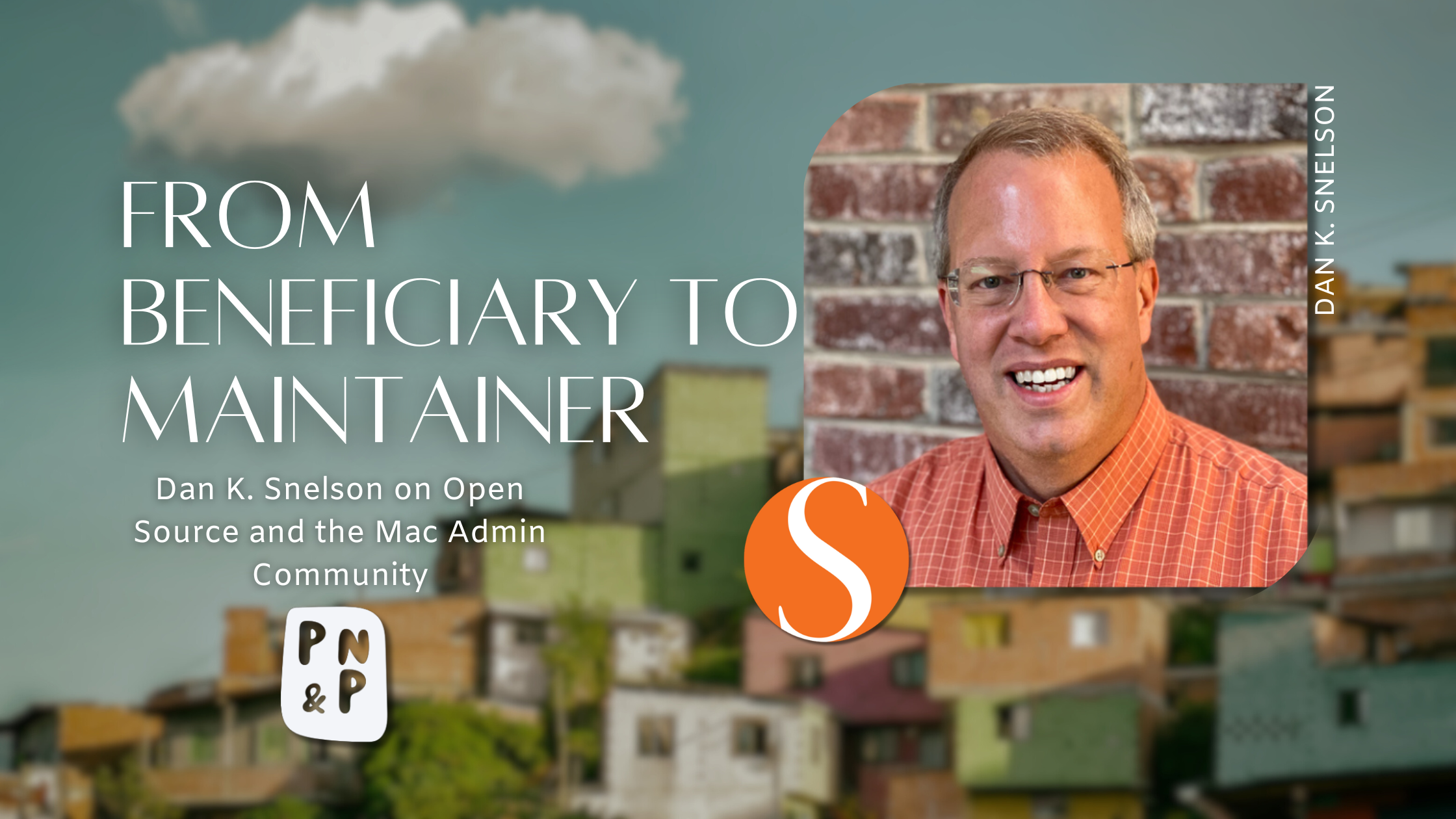
As a Mac Admin myself, I believe that some of the most impactful progress in macOS management comes not from vendor roadmaps, but from individual admins identifying gaps in their own environments and sharing solutions back with the community. Dan K. Snelson is one of those admins.
Dan is a senior macOS and mobile systems engineer with more than three decades of experience in IT. He is widely known in the Mac Admins community for creating and maintaining open-source tools such as Setup Your Mac, Mac Health Check, and DDM OS Reminder. A frequent speaker at Jamf Nation User Conference and an active, approachable presence in the Mac Admins Slack, Dan’s work has quietly shaped how many organizations think about macOS setup, compliance visibility, and OS update communication.
In this interview, we talk about Dan’s journey from open-source beneficiary to maintainer, the responsibility that comes with building tools people depend on, and why feedback during beta and release candidate cycles matters more than most admins realize.
“The biggest gap in most open source projects isn’t code. It’s feedback.”
Background & Introduction
Q: Can you tell us about yourself and how you got started in Mac administration?
Dan: During my last several semesters at BYU in Provo, Utah, I ran the Communications Department computer lab: We had Windows PCs for the journalism students in one room and Apple Macintosh computers for the advertising students in another.
During my last semester, a fellow student informed me that a desktop publishing class was going to be cancelled because they didn’t have anyone to teach it and that I should go apply for the position. I did, and I got the job as a part-time faculty member. (I was employed by the evening school department, which is one level below a graduate student, but I did qualify for an “A” lot parking sticker.)
I’ve been professionally involved in IT for more than thirty years. The last decade (or so) has been focused on macOS enterprise management, primarily using Jamf Pro. While I have multiple Apple- and Jamf-certifications, I find developing solutions much more engaging. Before working for The Church of Jesus Christ of Latter-day Saints, I was always assisting with mixed environments, and today I have varying responsibilities for every OS other than Microsoft Windows, with my primary focus on macOS.
The open source piece started the way it does for most of us: I was a beneficiary only. At some point, the gap between what I needed and what existed got small enough to fill. I started publicly releasing code, and the feedback loop with the Mac Admin community turned out to be the most rewarding part.
Q: You’ve been a recurring presence at JNUC and in the Mac Admins Slack. What keeps you engaged?
Dan: New projects. I’ve watched people go from lurking on Slack to maintaining tools that hundreds of admins depend on — sometimes within a single year. Whether you’re the person writing the code or the person filing the bug report that makes the code better, you’re part of that. That doesn’t get old.
The Philosophy Behind Contributing
Q: Your December blog post laid out a journey from “Beneficiary” to “Jedi-Ninja Maintainer.” What prompted it?
Dan: The same conversation, over and over — at meetups, on Slack, with colleagues. “I’d love to contribute, but I don’t know where to start.” Or: “I don’t really have anything to give.” The second one is almost never true.
The biggest gap in most open source projects isn’t code, it’s feedback. Specifically, feedback during beta and release candidate stages — when it can still shape the outcome. The post was an attempt to make that visible. If you use a tool, and you test it when a new beta version is available, and you tell the maintainer what you found — that is contributing.
Q: The self-assessment in that post — was the goal for people to self-identify where they are, or to show them how close they already are to the next step?
Dan: Mostly the second. Someone who’s been running Setup Your Mac in their environment for a year and occasionally looks at the GitHub issues page — they’re already an Explorer. They just don’t know it yet. The quiz was meant to make that click, so the next step feels like a natural progression rather than a leap.
“They’re already an Explorer. They just don’t know it yet.”
Q: For people who have never maintained a project, what part of open-source work do you think is the most invisible or misunderstood?
Dan: Many people think that open-source work is just about writing code, but a significant portion of it involves documentation, user support, and community engagement. These aspects are crucial for the success of any open-source project and sometimes go unnoticed.
I’m confident that many open-source maintainers would agree that the time spent on these non-coding tasks often exceeds the time spent writing the code itself.
Those using an open-source project can make a significant impact by contributing to these areas.
Your Projects
Dan’s open-source work spans onboarding, compliance visibility, and OS update communication, each addressing a different gap Mac Admins regularly encounter.
Q: Let’s talk about your projects. Setup Your Mac, Mac Health Check, DDM OS Reminder — where do you want to start?
Dan: Setup Your Mac has the longest history and the most community fingerprints on it. The problem: after Automated Device Enrollment, there’s a gap. The device is supervised and managed, but the user still has to do a bunch of manual steps to actually use it. Setup Your Mac flips that around — swiftDialog-driven, triggered by Jamf Pro policy custom events. The user self-completes setup. No ticket, no waiting.
The early versions were laser-focused on our environment. The community made SYM dramatically more flexible — and most of that happened because people were testing pre-release versions and telling us what didn’t work for their environment.
Q: Mac Health Check is a different category — less “set up my Mac” and more “show me the state of my Mac.” What’s the thinking?
Dan: End users have no idea whether their Mac is compliant. FileVault status, MDM enrollment, OS versions — that information exists somewhere in the MDM console, but it’s not surfaced to the user in any meaningful way. Mac Health Check pulls it together into something you can actually look at via Self Service and understand.
Compliance requirements vary enormously across organizations, so what “healthy” looks like is different everywhere. The Mac Admins testing beta builds were the ones who told us which checks needed to be configurable, which ones were confusing, which ones were missing entirely. That’s where the tool actually got good.
Q: DDM OS Reminder is newer — tied to Apple’s Declarative Device Management. What’s the story?
Dan: DDM is where Apple is heading for macOS management. OS updates are one of the first things it touches, and the built-in notification tends to be too subtle for most environments. DDM OS Reminder is a swiftDialog-enabled script and LaunchDaemon pair — “set-it-and-forget-it” end-user messaging for DDM-enforced update deadlines. You deploy it; it keeps users informed without requiring constant policy tweaks every time Apple ships a new version.
This one is still young, and it’s a good illustration of why beta feedback matters right now. DDM itself is evolving quickly. Every beta release that goes out to testers comes back with information we couldn’t have gotten any other way.
Q: You also maintain dialog-scripts and Jamf-Pro-Scripts — more of a collection than a single product. How do you think about that work versus the bigger named projects?
Dan: That’s where the experimentation happens. Not everything needs its own README and release cycle. Sometimes it’s a script that solved a problem on a Tuesday afternoon, and it might solve the same problem for someone else on Thursday. Occasionally one of those quick scripts turns out to fill a gap nobody realized existed — and then it becomes something worth building out properly. The EA Audit scripts started that way.
Q: You mentioned that Setup Your Mac was originally focused on your own environment. Without sharing too much, do you still have specific technical or UX issues that none of your or other open-source tools have resolved yet?
Dan: While the bulk of my projects now are able to be shared publicly, there are still some internal tools and scripts that I maintain for my organization’s specific needs. These tools often address unique workflows or compliance requirements that may not be applicable to the broader community.
Q: You’ve worked in large, complex environments for most of your career. How does that reality influence how you design tools for a community that includes everything from solo admins to global enterprises?
Earlier on, I was just happy if the tool worked for our use-case. Over time, I realized that for a tool to be truly useful for a wider audience, it needed to be flexible and adaptable to different environments.
Q: In my own environment as a government contractor, we are still using Jamf Pro On-Premise while waiting for FedRAMP Authorization for the cloud. Open-source tools such as the ones you’ve created have been instrumental in the modernization of Apple device platforms, as more features in Jamf are becoming cloud-only. Have you received any specific feedback from organizations, beyond individual admins, about how much they’ve appreciated your designs? Can you share examples of how your tools have impacted their workflows?
Dan: Absolutely. I’ve received feedback from various organizations that have integrated my tools into their workflows, leading to significant improvements in efficiency and compliance.
In the early days of Setup Your Mac, I’d hear feedback from various Mac Admins and then at dinner that night I’d tell my family: “Well, XYZ company is using SYM now …”
The Beta / RC Feedback Gap
Throughout our conversation, one theme kept resurfacing: most open-source tools don’t fail because of bad code, but because feedback arrives too late to shape the outcome.
Q: You wrote that “feedback — any feedback — is a gift,” and that the preferred time to give it is during beta and release candidate cycles. Can you unpack that?
Dan: As a maintainer, you have a limited view of the world. You know your environment. You know the edge cases you hit. But the Mac Admin community spans an enormous range of organizations and configurations — and you can’t anticipate all of them from the inside.
Beta and RC releases are when the project is close enough to “done” that feedback is actionable, but early enough that it can still change the outcome. That’s the window. A bug report filed during a beta cycle can be fixed before it ships. The same bug found three weeks after the stable release means it’s already caused friction for everyone who updated in the meantime.
If you use a tool, you are already in the best possible position to help make it better. You don’t need to learn a new skill. You just need to opt-in to the feedback loop.
Beta and RC releases are when the project is close enough to ‘done’ that feedback is actionable, but early enough that it can still change the outcome.
Q: Is there a specific barrier that keeps people from filing that feedback?
Dan: A few. The “it’s not important enough” instinct — people assume that if something is slightly off, it’s probably already known. That’s almost never true. Not knowing how — GitHub issues can feel intimidating if you’ve never filed one. And timing: people don’t always think to check for a beta, so by the time they notice something, the stable version has already shipped.
Q: For someone who’s never filed a GitHub issue before, what would you tell them?
Dan: Three things: (1) What you did. (2) What you expected to happen. (3) What actually happened. You don’t need to diagnose the problem or propose a fix — just describe your experience clearly enough that someone else can reproduce it. And even if you can’t reproduce it reliably, “Hey! I saw this weird thing …” is still useful. That’s a signal. Signals are how bugs get found.
Q: As I try to help from a community side, I often see feedback being provided in Slack channels for various tools/scripts. Sometimes people ask, “Why doesn’t this tool do X? I need it to do Y.” And other times, people are asking for understanding about the tool, where the answer is already laid out in the wiki. For those who help evangelize the tools, how do you think they can best encourage people to become active participants in implementing the changes they themselves are asking for?
Dan: Frequently, I’ve direct-messaged Mac Admins about a pending feature request they’d like to have and asked: “What level of interest do you have in submitting a Pull Request?”
On more than one occasion, that same Mac Admin will submit their first-ever PR to help implement a feature they were passionate about.
This is almost as rewarding as releasing a new version of the tool itself.
Q: At a certain point, an open-source project stops being “a script you shared” and starts becoming something people depend on. How do you decide what you owe a project’s users, and where you draw the line to avoid burnout?
Dan: That’s a great question. Once I realized that many Mac Admins were depending on my tools, I made a conscious effort to create a dedicated GitHub Organization with other trusted Mac Admins in case I got hit by a bus, for example https://github.com/setup-your-mac vs. my personal https://github.com/dan-snelson.
Burnout is a real and I suppose I dodge its actual, underlying issue by starting a different open source project about which I am passionate.
Community & Collaboration
Beyond code and tooling, Dan spends a significant amount of time engaging directly with the Mac Admins community, especially in Slack and at conferences.
Q: The Mac Admins Slack is where a lot of this community lives. How do you use it, and what role does it play in your open source work?
Dan: It’s my primary feedback channel outside of GitHub. People will mention they’re using one of the tools, or ask a question that reveals they hit an edge-case I hadn’t considered. Those conversations are informal, real-time, and often surface issues that would never make it to a formal bug report. I try to stay present enough to catch those signals.
Q: You’ve presented at JNUC from 2017 through 2025. How has the community’s relationship with open source shifted over that span?
Dan: Significantly. Early on, open source in this space was more “here’s this cool thing one person built.” Now it’s infrastructure. Tools like swiftDialog, Nudge — these are load-bearing parts of how organizations manage their Macs. The community has grown up around that. The next step — still a little underbuilt — is the bench of people actively helping make those tools better between releases. The tools exist. The maintainers exist. The feedback loop is what’s still growing.
Q: Scott Kendall mentioned in his interview here on Patch Notes and Progress that he stumbled across Setup Your Mac while at JPMorgan Chase. That kind of organic discovery seems to be how a lot of people find these tools. Is that a feature or a bug?
Dan: Both. It’s a feature because it means the tools are useful enough that people find them when they need them. It’s a bug because it means people often find the stable release first and never know a beta existed. If you found Setup Your Mac because someone on Slack mentioned it, that same Slack is where you’d hear about a beta release — if you’re looking for it. The invitation is to look.
Q: You’re often helping people one-on-one in Slack threads, but your tools help thousands silently. How do you think about mentorship at scale in an open-source world?
Dan: When someone DMs me with a question about one of my tools, my boilerplate response is: “Will you please repost this question over in the dedicated channel so that others may benefit from the shared knowledge?”
It took me some time to realize, but there’s a number of Mac Admins — including myself in some cases — who are hesitant about publicly posting. I wish I had metrics on how many individuals read those public threads without posting themselves. (I try to remember that when I see a question that has already been answered multiple times.)
I wish I had metrics on how many individuals read those public threads without posting themselves.
Q: Has there been a specific conference you’ve been to so far that has stood out as one that left a lasting impact on you?
Dan: JNUC has always been a standout conference for me. The energy and enthusiasm of the Mac Admins community is palpable, and it’s inspiring to see so many talented individuals come together to share knowledge and collaborate. (Even when they neglect to introduce themselves, Tony!)
Q: Mac Admins Europe has just launched with a conference on April 30th in the Netherlands. Mac Admins India has grown significantly since 2009, with a conference on August 1st in Bengaluru. Outside JNUC, which conference would you most like to attend in person, and what draws you to it?
Dan: JNUC has been my “default” conference since I first attended in 2014, mainly because my tools were specifically designed to work with Jamf Pro. However, with the expansion of some MDM-agnostic tools, I’m increasingly interested in attending other conferences like the 2026 MacAdmins Conference at Penn State. Again, it’s great to interact with so many talented Mac Admins.
Looking Ahead
As Apple’s management stack continues to evolve, I asked Dan what he’s watching next and where he hopes the community puts its energy.
Q: What’s on your radar for 2026?
Dan: DDM is the big one. Apple is moving fast, and the tooling needs to keep up. DDM OS Reminder will keep evolving, and the feedback loop during that evolution is going to be even more important than it was for the earlier projects — because the underlying platform is still shifting.
More broadly: I’d like to see beta testing become a default habit in this community rather than something people opt into consciously. These projects ship pre-releases for a reason. The more people who participate in that cycle — even casually, even for just one project — the better the tools get for everyone.
Q: With Mac Health Check, you have been hard at work partnering with the community to develop an MDM-agnostic version to support other device management services such as Addigy, Fleet, Iru (Kandji), and more. What has that been like from a learning perspective on your part and from a community perspective with people providing feedback and solutions?
Dan: It’s been an incredible learning experience. Partnering with other Mac Admins has allowed me to gain insights into different MDM solutions and their unique features. The community’s feedback has been invaluable in shaping the MDM-agnostic version of Mac Health Check, ensuring it meets the needs of a broader audience.
Q: Any tools or projects outside your own that you’re watching closely?
Dan: swiftDialog is the obvious one — Bart Reardon’s work is foundational to what’s possible here. And the DDM ecosystem broadly. Apple is giving us new primitives. The community is going to build on top of them. I want to be part of that, and I want as many other people as possible to be part of it too — in whatever capacity makes sense for them.
Rapid-Fire
We covered the deep topics, so I wrapped up with a few lighter questions to round things out.
Q: What’s your development setup?
Dan: Nothing exotic. MacBook Pro, VS Code, a few Terminal windows and Apple Remote Desktop. I’m a big, big fan of having a dedicated Stage lane for testing scripts and policies before they go to Production.
Most of the work is shell scripts, so the toolchain is lightweight. GitHub is where it lives. Slack is where the feedback comes in. The cycle is pretty tight: problem → script → publish → feedback → iterate.
Q: If you could change one thing about the Mac Admin ecosystem, what would it be?
Dan: I’d remove the friction from beta testing. Right now there’s a conscious step — find the beta, opt in, file feedback. If you use a tool, you’d just … be in the loop. The feedback would flow, the tools would get better, nobody would have to think twice about it.
Q: Advice for someone just starting out as a Mac Admin who wants to get involved?
Dan: Use the tools. Use Slack. And when something doesn’t work the way you expected — write it down and tell someone. That last part is the one most people skip. It’s also the one that matters most.
Q: And when you look at the Mac Admins community today, what’s one mindset shift you’d like to see more people make when it comes to open source?
Dan: I’d love to see a mindset shift from “I can only contribute if I can submit feature-complete Pull Requests” to “I can contribute in many ways, including documentation, testing, and community support.”
Q: Favorite open-source tool you didn’t write?
Dan: After Bart Reardon’s swiftDialog, I’d say anything that either Graham Pugh or Elliot Jordan has written; their tools have been incredibly useful in my day-to-day work.
Q: Most overused Jamf feature?
Dan: Smart Groups. While they are incredibly powerful, I see them being used in ways that can lead to performance issues in larger environments if not managed carefully.
Q: Most underrated Jamf feature?
Dan: Advanced Computer Searches. They offer a lot of flexibility and can be a game-changer for complex queries without the overhead of Smart Groups.
Q: Has there ever been a bug in your scripting that simply made you laugh for its silliness?
Dan: What I hear you asking is if I have a blog post about a Nudge-related mishap. Yes, yes I do: Stop Nudging Me!
Q: What helps you disconnect from work at the end of a busy week?
Dan: Next question, please!
We’re empty nesters now and I tend to work way too much (and it doesn’t help that my hobby is my job is my hobby).
Q: Coffee, tea, or something else?
Dan: Lots o’ lemon in my water. Why Don’t Members of The Church of Jesus Christ of Latter-day Saints Drink Coffee?
Q: As a regular at JNUC, what’s one of the best conference hallway conversations you’ve had?
Dan: As I mentioned, my wife and I are empty nesters now and she’s able to travel with me to each JNUC. A few years ago at JNUC 2022 in San Diego, the weather was great and as we were walking to and from dinner each night, many Mac Admins I had never met would introduce themselves and thank me for this or that script. My wife calls it my “annual ego boost,” which I try to downplay.
On the Friday after JNUC, we’re at the airport returning home, I mentioned to my wife that “no one recognized me today.” Then we boarded the plane and someone on the flight recognized me and said: “Great presentation!”
I replied: “Are you glad it’s over too?”
Q: In your opinion, what is one thing the community does really well?
Dan: The Mac Admins community excels at collaboration and knowledge sharing. Whether it’s through Slack channels or conferences, there’s a strong culture of helping one another and sharing expertise.
Q: We are seeing more and more Mac Admins creating dedicated applications instead of scripted tools. Has this been something you’ve been exploring as well?
Dan: A dedicated app targeted directly to Mac Admins makes a lot of sense. We’ve trained our end-users to see Self Service as the go-to place for installing applications and running maintenance tasks, so it’s the “front door” for those interactions.
Final Questions
Q: As a member of The Church of Jesus Christ of Latter-day Saints (also known as Mormons), you have been refreshingly open about your faith. How has that impacted the way you engage the community outside of your day-to-day job? What advice would you give other Admins on being their authentic selves as we all continue to give back to the community, or just within their own roles and careers?
Dan: I have the unique opportunity of not only striving to be an authentic disciple of Jesus Christ, but also being directly employed by my church. This inspired my Christmas 2025 blog post What Shall [I] Give? where I indicated “I will strive to see others as our Heavenly Father and Jesus Christ see them.”
As such, I try to start every reply on the Mac Admins Slack by greeting the individual by name: I need to always remember that I am interacting with a fellow child of God.
Q: If someone reads this interview and only takes one small action after closing the tab, what would you hope that action is?
Dan: I. Can. Contribute.
On the high end of the spectrum, it’s submitting a feature-complete Pull Request. At the low end of the spectrum, it’s providing feedback about a typo in the documentation, or simply helping another Mac Admin in need.
Every contribution counts and helps strengthen our community.
I. Can. Contribute
Conclusion
Dan’s journey is a reminder that open source in the Mac Admin community is not about heroics or perfect code. It’s about participation, feedback, and showing up consistently. His work demonstrates that contributing doesn’t always start with a pull request. Sometimes it starts with paying attention and speaking up.
Whether through beta testing, documentation, or helping another admin in Slack, Dan’s story reinforces a simple truth: contribution exists on a spectrum, and most of us are already closer to it than we think.
You can find Dan in the following places:
- Blog: https://snelson.us
- GitHub: https://github.com/dan-snelson
- LinkedIn: https://www.linkedin.com/in/dan-snelson/
MacAdmins Slack: @dan-snelson https://www.macadmins.org